
What's on this page
- Before you start
- Step 1: Decide what buying used actually gets you
- Step 2: Ask for the compressor and service history first
- Step 3: Check the panels, floor, and door for damage or decay
- Step 4: Test the door gasket, hinges, and closer
- Step 5: Check the evaporator and defrost system
- Step 6: Run it and read the temperature over time
- Step 7: Check the electrical and refrigerant specs
- Step 8: Price the deal and negotiate
- Where a used walk-in cooler typically comes from
- Red flags that mean walk away
- What a fair used price actually looks like
- A worked example: pricing the compressor risk
- Warranty and recourse after the sale
- Common mistakes when buying a used walk-in cooler
- Troubleshooting: what to do with a maybe
- Your used walk-in cooler buying checklist
- The bottom line
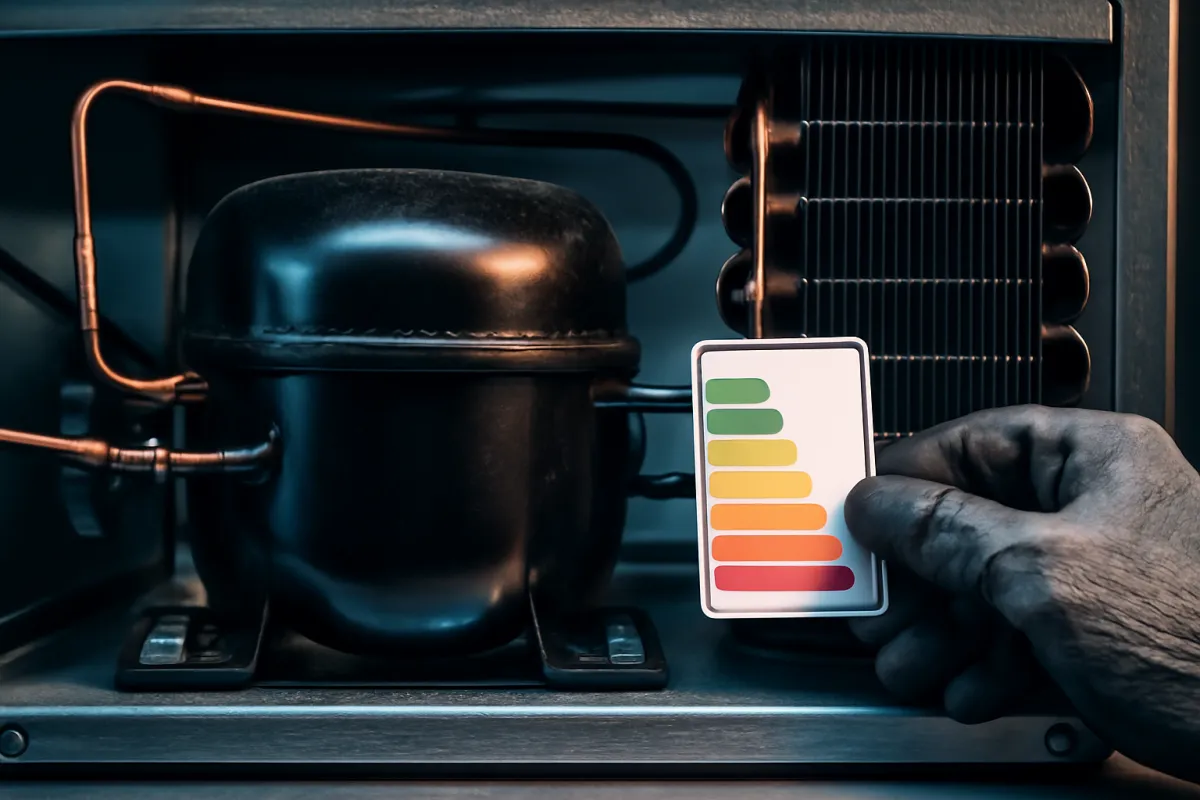
Short answer: Buy a used walk-in cooler in eight steps: decide what buying used actually gets you, ask for the compressor and service history first, check the panels and floor for damage, test the door gasket and hinges, check the evaporator and defrost system, run the unit and watch how it holds temperature, check the electrical and refrigerant specs, then price the deal and negotiate last. The compressor, not the cabinet, is almost always what decides whether a used walk-in is a bargain or a trap.
A used walk-in cooler can be one of the better deals in a kitchen budget, and it can also be the single most expensive mistake in it, and the difference rarely comes down to how clean the stainless looks in a listing photo. The cabinet, the panels, and the shelving are durable, simple, and cheap to repair. The compressor is a wear item with a finite life, and a dead compressor on a box full of inventory is a food-safety emergency and an unplanned replacement bill at the worst possible time.
This walkthrough buys a used walk-in cooler in eight steps: deciding what used actually buys you, getting the compressor and service history before anything else, checking the panels and floor, testing the door and gasket, checking the evaporator and defrost system, running the unit and watching the temperature, checking the electrical and refrigerant specs, and pricing the deal only once you know what you are actually buying. If sizing the box itself is still an open question, our walkthrough on how to size a walk-in cooler covers that first, and our commercial refrigerator cost case study prices the new-and-installed comparison this buying decision is weighed against. Run the math as you read with the equipment ROI calculator.
Key takeaways
- Buy the cabinet with confidence, price the compressor with caution: the panels, floor, and shelving are cheap to fix, but the refrigeration system is the risk.
- Ask for the compressor's age and service history before anything else, and treat "unknown" as a real cost, not a minor detail.
- Check the door gasket, hinges, and panel seams by hand, since a failed seal quietly wastes energy and strains the compressor for the life of the box.
- Run the unit during the walkthrough and watch how it cycles. A compressor that never seems to stop running is a warning sign worth taking seriously.
- Relocation, a new refrigerant charge, and site-specific installation are real costs on top of the asking price. Price the full landed cost, not the sticker, before you compare it to new.
Before you start
Before you go look at a single used walk-in, have a comparison number in hand: a rough new or refurbished, installed price for a box of the same size, so you can judge any used deal against a real alternative rather than in isolation. Also have your own site ready in your head, the door clearance, the electrical capacity, and whether the unit needs to be relocated and rebuilt or can run close to where it sits now, since those site factors move the true cost of a used deal as much as the asking price does.
Here is what to have ready before the first walkthrough:
- A comparison price for new or refurbished at your size, so a used asking price has something real to be judged against.
- Questions for the seller about the compressor's age, service history, refrigerant type, and reason for sale, ready before you arrive.
- A flashlight and a basic toolkit, since a proper inspection means looking behind panels and at seams, not just admiring the cabinet from the doorway.
- A sense of your own site: whether the unit needs to be relocated, what electrical capacity you have, and where it will actually sit.
Difficulty here is moderate and mostly about patience: none of the eight checks below require special tools, but skipping any of them in a hurry is exactly how an expensive compressor problem gets missed. A thorough walkthrough takes perhaps thirty minutes to an hour depending on access, and arranging a professional refrigeration inspection before you pay, where the deal size justifies it, can take a few additional days. With your comparison price, your questions, and your toolkit ready, the eight steps below turn a used listing into a decision you can actually defend.
Step 1: Decide what buying used actually gets you
Before evaluating any specific unit, be clear with yourself about why used is on the table. The honest reasons are usually a tighter budget, a shorter timeline than a new build-to-order box allows, or simply the fact that a used unit is sitting available right now and a new one has a lead time. Knowing your own reason matters because it sets how much risk you are willing to accept: a cash-strapped startup stretching every dollar has a different risk tolerance than an established kitchen simply looking for a quick, discounted upgrade.
Set a rough ceiling on what you are willing to pay before you start looking, anchored to your comparison price for new or refurbished at the same size. A used unit priced close to new, with no meaningfully better condition or history to justify it, usually is not actually the deal it first appears to be. Walking in with a number already decided keeps a clean cabinet and a confident seller from talking you past what the deal is actually worth.
It is also worth being honest about how much risk your business can actually absorb right now. A well-capitalized kitchen with cash reserves and a maintenance relationship already in place can reasonably accept more uncertainty on a used deal, knowing a surprise repair is an inconvenience rather than a crisis. A brand-new operation running on a tight opening budget, where an unplanned few thousand dollars for a compressor replacement could genuinely threaten the business, should weight the certainty of a known history, or the warranty behind a refurbished unit, more heavily than the size of the discount on offer.
Step 2: Ask for the compressor and service history first
Before you inspect a single panel, ask the seller directly: how old is the compressor, has it been serviced or replaced, and do they have any records. This is the single most important question in the entire walkthrough, because the compressor is the part most likely to fail expensively and the part a listing photo tells you nothing about. A seller with a clear answer and paperwork is a meaningfully different risk than one who shrugs and says they do not know.
If the unit came from a reputable used-equipment dealer or a refurbisher, ask specifically what was serviced or replaced and whether any warranty applies, since the term refurbished is not standardized and the rigor behind it varies widely between sellers. If the history is genuinely unknown, that is not automatically a reason to walk away, but it is a reason to price a real contingency for a possible compressor replacement into your offer, a cost this walkthrough prices out in the worked example below.

Step 3: Check the panels, floor, and door for damage or decay
With the compressor question answered, move to the box itself. Walk the exterior and interior panel seams looking for dents, punctures, or gaps where the foam core might be exposed or compromised, since a damaged panel loses insulating value and can let moisture into the core over time. Pay particular attention to the floor, if the unit has one, checking for soft spots, cracking, or water damage, since a floor repair on an assembled walk-in is a far bigger job than patching a wall panel.
Look closely at panel seams and corners for signs of past water intrusion, including staining, rust streaks on exposed metal, or a musty smell, any of which can point to a history of condensation or leak problems that may recur. A cabinet that looks cosmetically rough but structurally sound, dents and scuffs with no sign of moisture damage, is usually a far better risk than one that looks clean on the surface but shows the telltale signs of a past water problem in the seams.
Step 4: Test the door gasket, hinges, and closer
The door is one of the cheapest parts of a walk-in to replace and one of the most commonly neglected during a quick inspection, despite being responsible for a meaningful share of the energy a tired unit wastes. Run your hand along the entire gasket perimeter feeling for gaps, tears, or stiff, cracked rubber that no longer seals tightly against the frame, and close the door fully to check that it seats evenly all the way around rather than gapping at a corner.
Check the hinges for excess play or sag, since a sagging door can drag on the floor or fail to seal at the bottom, and test that the door closer pulls the door fully shut on its own rather than needing a shove to latch. A worn gasket and a misaligned door together let warm, humid air leak in constantly, which shows up as higher energy use, more frequent condenser cycling, and ice buildup on the evaporator, so this cheap-looking fix is actually protecting the expensive part of the system, the compressor, from unnecessary wear.
Step 5: Check the evaporator and defrost system
Look inside at the evaporator coil, usually mounted near the ceiling, for heavy ice buildup beyond a light, even frost, since excessive ice is a common sign of either a failing defrost cycle or a door and gasket problem letting in more moisture than the system can keep up with. Ask whether the unit has an automatic defrost cycle and, if possible, confirm it is functioning rather than assuming it from the nameplate, since a defrost heater or timer failure is a repair cost worth knowing about before you buy rather than after.
Check that the evaporator fan runs smoothly without unusual noise or vibration when the unit is powered on, since this fan is what actually moves cold air around the box, and a weak or failing fan can leave a walk-in with uneven temperatures even if the compressor itself is healthy. These are moderate repair costs individually, not compressor-scale risks, but they add up, and knowing about them before you negotiate is worth more than discovering them after the unit is installed in your kitchen.

Step 6: Run it and read the temperature over time
If at all possible, ask the seller to power the unit on and let it run while you continue the rest of the walkthrough, rather than judging it powered off. Listen for the compressor cycling on and off in a reasonably normal pattern rather than running continuously without ever shutting off, which can point to a struggling system, a refrigerant issue, or a box that is not sealing properly. A unit that pulls down toward a normal cooler temperature within a reasonable window, and then cycles the compressor to maintain it, is behaving the way a healthy system should.
A single walkthrough is a limited test, since ambient conditions, how full the box is, and how long it has already been running all affect what you observe in a short visit. Where the deal size justifies it, arranging a longer test window or a paid inspection by a local refrigeration technician before you commit to the purchase is a small cost against the risk a compressor failure represents, and it is the single best way to replace guesswork with an actual professional opinion.
Step 7: Check the electrical and refrigerant specs
Confirm the unit’s electrical requirements, voltage and amperage, against what your site actually has available, since a mismatch can mean an expensive electrical upgrade on top of the purchase price that easily erases the discount you thought you were getting. This is a step worth confirming with an electrician if there is any doubt, rather than assuming the new site can simply handle whatever the old one did.
Also check the refrigerant type the system uses, either from the nameplate or by asking the seller directly, and confirm with a local refrigeration technician whether that refrigerant is still readily serviceable in your area. Refrigerant regulations shift over time, and a unit running an older type that has since been phased down can mean a harder, more expensive path to future service or a repair, a cost worth knowing before you buy rather than discovering at the first service call.
If the unit is older, it is worth asking the seller directly how old the box itself is, separate from the compressor question in Step 2, since the panels, the door hardware, and the refrigeration components all have a practical service life even when nothing has visibly failed yet. An older unit is not automatically a poor choice, plenty run reliably for decades with reasonable maintenance, but age is one more honest input into the price you are willing to pay and the contingency you set aside, alongside the condition findings from the earlier steps.
Step 8: Price the deal and negotiate
Only now, with the compressor history, the condition, the door, the evaporator, a running test, and the electrical and refrigerant specs all in hand, is it time to focus on price. Compare the asking price against your comparison figure for new or refurbished at the same size, and if the compressor history is unknown, mentally hold back a real contingency for a possible replacement rather than pricing the deal as if that risk does not exist.
Use anything you found in Steps 3 through 7, a worn gasket, light evaporator icing, an unknown refrigerant type, as honest, specific points to negotiate on, rather than vague haggling. A seller who has priced the unit assuming perfect condition should expect the price to move when a real issue is found and named specifically. If the unit needs to be relocated, fold the disassembly, transport, and reassembly cost into your offer math before you agree to a number, since that landed cost, not the listing price alone, is what you are actually comparing to new.
Where a used walk-in cooler typically comes from
Where a used unit comes from shapes how much history and recourse you can realistically expect. A dedicated used-equipment dealer or refurbisher commonly offers the most verifiable history, since reputable ones service what they sell and often back it with some form of warranty, though the price sits closer to the top of the used range in exchange for that lower risk. A restaurant closure or liquidation sale can offer genuine bargains on a unit that was still in working daily use until recently, but records are often thin and the sale moves fast, so your own walkthrough carries more weight than any paperwork.
A private-party or classified listing, often from an operator upgrading or closing, sits at the higher-risk, higher-reward end: pricing can be the most negotiable, but service history is frequently informal or nonexistent, which is exactly the scenario where Step 2’s compressor question and this walkthrough’s full checklist matter most. An auction is similar in spirit, commonly offering the lowest prices but the least opportunity to run a proper inspection beforehand, so auction buying is best reserved for a buyer who can absorb a wrong guess without it threatening the business. Our case study on where to buy restaurant equipment runs the tradeoffs across all of these channels in more depth, including the inspection access and recourse each one typically offers.
Red flags that mean walk away
Most issues this walkthrough surfaces are negotiable: a worn gasket, light evaporator icing, a scuffed panel. A smaller set of findings are different, and the honest move when you hit one of them is usually to walk away rather than negotiate around it. A seller who cannot or will not power the unit on for a demonstration, who gives shifting or contradictory answers about the compressor’s history, or who pressures you to decide on the spot before you can arrange even a basic inspection, is behaving in a way that itself tells you something about what you might be buying.
Treat a strong chemical or musty odor from inside the box, visible mold on interior surfaces, or structural rust eating through a panel rather than surface staining, as findings that go beyond a simple repair and into territory where the unit’s underlying soundness is genuinely in question. Similarly, a compressor that will not start at all, or starts and immediately trips a breaker, is not a minor fix to shrug off during a walkthrough, it is very likely a seized or shorted system that costs close to a full replacement to resolve.
None of these findings are common, and most used walk-ins a reputable seller offers will clear every check in this walkthrough without issue. But knowing the handful of signals that warrant walking away, rather than negotiating, protects you from the rare deal where no price is actually low enough to make sense.
It helps to decide, before you walk in, which of these you would treat as a hard stop versus which you would still negotiate around, because it is easy to talk yourself into rationalizing a red flag once you are standing in front of a box that otherwise looks appealing. A short mental list, no running demonstration, visible mold, structural rust, a compressor that will not start, written down or simply decided in advance, keeps the decision grounded in what you set out to require rather than what a persuasive seller talks you into accepting in the moment.
What a fair used price actually looks like
There is no single correct price for a used walk-in cooler, because condition, age, size, and how directly you can verify the compressor’s history all move the number meaningfully. What a fair price does share across deals is the logic behind it: it reflects the real condition you found during your own walkthrough, not the condition the listing describes, and it reflects a comparison against what new or refurbished actually costs installed at your size, not a vague sense that used should always be cheap.
A seller with clean service records, a demonstrably well-maintained unit, and a recent compressor service or replacement can reasonably ask closer to the top of a typical used range, because they are selling you certainty along with the box. A seller with an unknown history and a unit you cannot fully verify during a single visit should expect to price closer to the bottom of that range, or should expect you to negotiate there, because you are the one absorbing the risk they cannot remove. Treat any asking price that sits close to a new, installed comparison figure as a signal to look harder for what might be wrong, since a genuinely sound used unit rarely prices itself that close to new.
A worked example: pricing the compressor risk
Put the framework on one illustrative deal. A used walk-in cooler is listed at $8,000, against a comparison price of roughly $14,000 for a new, installed unit of the same size, an apparent discount of about $6,000, or 43 percent. The compressor history is unknown; the seller has no service records and bought the unit secondhand themselves.
Because the history is unknown, the buyer prices in a contingency, setting aside 25 percent of the asking price, $2,000, as a mental reserve toward a possible compressor replacement in the near term. That brings the effectively priced cost to $10,000 against the box’s expected remaining service life, illustratively eight years, for a cost of about $1,250 a year. Compared against the new unit’s $14,000 spread over a longer expected life, the used unit can still be the better deal, but the margin is meaningfully smaller than the raw $6,000 discount first suggested, which is exactly why Step 2’s compressor question matters more than any other single check in this walkthrough. Run your own asking price and comparison figure through the companion beside this walkthrough to see the same math applied to your deal.
Now contrast that against a second illustrative deal where the history is known. A different used walk-in of the same size is listed at a higher $10,000, but it comes from a reputable dealer with a recently serviced compressor, documented records, and a short warranty. Because the history is known and backed, no contingency gets set aside, so the effective cost stays at the full $10,000, against the same $14,000 new comparison and the same eight-year expected life, working out to about $1,250 a year, the same per-year figure as the first, riskier deal.
The two examples land on a similar number by different roads, and that is the point: a lower asking price with real risk and a higher asking price with real certainty can end up costing about the same once the risk is priced honestly. The deal that is actually worse is a low asking price treated as if it carried no risk at all, since that is the scenario where the real cost, an eventual compressor failure, shows up unplanned rather than priced in from the start.
Warranty and recourse after the sale
Before you pay, understand exactly what happens if something goes wrong a week after delivery, because the answer varies enormously by seller type and is worth confirming in writing rather than assuming. A dealer or refurbisher offering any warranty should spell out in writing what it covers, the compressor specifically, parts generally, or labor as well, and for how long, since a vague verbal promise of “we’ll take care of you” carries little weight once the sale is final. A private-party sale almost always comes with no warranty at all, which is precisely why the inspection steps in this walkthrough carry so much of the weight in that scenario.
Ask, too, whether the seller will allow a short grace period to arrange a professional inspection before final payment changes hands, or whether delivery and setup are included and by whom. A seller confident in the unit’s condition usually has little objection to a brief, reasonable contingency; a seller unwilling to allow any form of verification before final payment is a pattern worth weighing alongside everything else this walkthrough asks you to check. None of this replaces the inspection itself, but knowing your recourse, or the honest lack of it, going in keeps a bad surprise from becoming a complete loss.
Common mistakes when buying a used walk-in cooler
A handful of mistakes account for most of the regrets reported after a used walk-in purchase.
- Judging the deal by the cabinet alone. A clean, shiny exterior tells you almost nothing about the compressor, which is the part most likely to cost real money.
- Skipping the service history question. Not asking, or accepting a vague non-answer, means pricing a used deal as if the biggest risk does not exist.
- Ignoring the door and gasket. A cheap, easy fix that gets skipped during a quick walkthrough, then quietly strains the compressor for years afterward.
- Not running the unit. Judging a powered-off box tells you nothing about how it actually cycles and holds temperature under real conditions.
- Forgetting relocation costs. Pricing only the asking price of the box, not the disassembly, transport, reassembly, and new refrigerant charge a move requires.
- Negotiating on feel instead of findings. Vague haggling moves a price less than naming the specific gasket wear, icing, or history gap you actually found.
None of these mean buying used is a bad idea; each one means slow down at the step where it happens and get a specific answer rather than an impression.
Troubleshooting: what to do with a maybe
What if the compressor history is unknown but everything else checks out well? This is the most common gray area, and the right response is not to walk away automatically but to price the risk honestly, as the worked example above does, and factor a real contingency into your offer rather than ignoring the gap. If the seller will not move on price to reflect that risk, that itself is useful information about how negotiable the deal actually is.
What if you cannot get the unit to run during your visit? Treat this as a serious yellow flag rather than a minor inconvenience, since a seller unable or unwilling to demonstrate a running unit may be hiding a real problem. Ask directly why, and if a reasonable explanation is not forthcoming, consider walking away or insisting on a professional inspection before any money changes hands.
What if the deal looks good but you are still unsure? Bring in a local refrigeration technician for a paid inspection before you commit, especially on a larger purchase where the stakes justify the cost. A few hundred dollars spent confirming a compressor’s real condition is cheap insurance against a mistake that can cost many times that in a failure and a load of spoiled inventory.
Your used walk-in cooler buying checklist
Run any deal past these checks before you pay.
- Get the compressor's age and service history in writing where possible, and price a real contingency if it is unknown.
- Inspect the panels and floor for damage, soft spots, and any sign of past water intrusion in the seams.
- Test the door gasket, hinges, and closer by hand, confirming a full, even seal all the way around.
- Check the evaporator coil and defrost cycle for excessive icing and confirm the fan runs cleanly.
- Run the unit and watch it cycle, and arrange a longer test or a professional inspection on a larger deal.
- Confirm the electrical specs and refrigerant type against your site and local serviceability.
- Price the deal against a real new or refurbished comparison, including any relocation cost, before you negotiate.
Put the asking price and your comparison figure into the equipment ROI calculator to see the compressor-risk math applied to your own deal before you commit.
The bottom line
Buying a used walk-in cooler well comes down to one discipline: find out what you are actually buying before you decide what to pay for it. Decide why used makes sense for you, get the compressor history before anything else, check the panels, the door, and the evaporator by hand, run the unit and watch how it behaves, confirm the electrical and refrigerant specs fit your site, and only then price the deal and negotiate on specific findings rather than a feeling.
The buyers who do this well treat a used walk-in the way a careful used-car buyer treats an engine: the body panels are the least of their worries, and the mechanical heart is where the real diligence goes. Ask the hard question first, price the risk honestly when the answer is unknown, and a used walk-in cooler becomes a calculated bet with the odds in your favor rather than a gamble dressed up as a bargain.
Written for the operator evaluating a used box, not for anyone selling one: this walkthrough is educational material, not a professional refrigeration inspection, and it endorses no specific seller, dealer, or listing. Every price, discount, contingency, and service-life figure here is an illustrative planning shape built to show how the risk and the math fit together, and your actual deal should be confirmed against the specific unit, its real history, and a professional inspection where the purchase size justifies one. Electrical, refrigerant, and health-department requirements vary by jurisdiction and are not covered here. Confirm every specific finding with the seller and a qualified technician before you pay.
Frequently asked questions
Is it worth buying a used walk-in cooler?
It can be a genuine bargain, and it can also be a trap, and the difference almost always comes down to the compressor. The cabinet, the panels, and the shelving are durable and cheap to service, so if those are in decent shape the discount is close to free money. The refrigeration system is a wear item with a finite life, and a tired or unknown compressor is the risk that turns a bargain into an expensive, food-spoiling failure. Buy the cabinet with confidence; price the compressor with caution.
What should I check before buying a used walk-in cooler?
Work through the compressor and service history first, then the panels and floor for damage or moisture, the door gasket and hinges for a tight seal, the evaporator coil and defrost system, an actual running test with a temperature reading over time, and the electrical specs and refrigerant type. Price and negotiate last, once you know what you are actually buying rather than what the listing claims. This walkthrough runs each of those checks in order.
How do I know if a used compressor is still good?
There is no way to know for certain without a service history or a professional inspection, which is exactly why both matter more than how clean the cabinet looks. Ask the seller directly for the compressor's age, any service or replacement records, and whether it has an active warranty from a dealer or refurbisher. During a walkthrough, run the unit and listen for excessive noise or vibration, feel whether it cycles on and off in a normal pattern rather than running constantly, and check that it actually pulls the box down to temperature within a reasonable window. An unknown compressor on an old, unbranded unit is the scenario to be most cautious about.
What refrigerant type should I check for on a used walk-in cooler?
Refrigerant regulations change over time, and some older refrigerants have been phased down or restricted, which can affect both the cost and the legality of servicing a unit down the road. Check the nameplate or ask the seller what refrigerant the system uses, and confirm with a local refrigeration technician whether that refrigerant is still readily serviceable in your area before you commit. A unit running an older, harder-to-source refrigerant is not automatically a dealbreaker, but it is a real cost to factor into the decision rather than an afterthought.
Is a refurbished walk-in cooler a safer bet than used as-is?
Generally, yes. A professionally refurbished unit, meaning one that has been serviced, had worn parts including the compressor addressed, and is sold with some form of warranty, captures much of the discount of buying used while removing most of the unknown-history risk. It commonly costs more than a private-party used unit and less than new, which is why it is often described as the middle path. Confirm exactly what was refurbished and what the warranty actually covers, since the term is not standardized and sellers use it with varying rigor.
How long should a used walk-in cooler run per day during a test?
There is no single correct percentage, because run time depends on ambient temperature, door traffic, and how full the box is during the test, but a compressor that appears to run constantly without cycling off, or that struggles to reach a normal cooler temperature in a reasonable window, is a warning sign worth taking seriously. The more useful test is simply watching the unit cycle on and off in a pattern that looks like it is doing its job efficiently rather than straining continuously. If you can arrange a longer test or a professional inspection before you pay, that beats any single walkthrough observation.
Can I move a used walk-in cooler to a new location?
Yes, used walk-in coolers are commonly sold as disassemble-and-relocate units, with the panels unbolted, moved, and rebuilt at the new site along with the refrigeration system. Relocation adds real cost beyond the purchase price: disassembly and reassembly labor, a new refrigerant charge in many cases, and a site-specific installation at the destination including electrical, drainage, and clearance. Price the full relocated cost, not just the asking price of the box, before comparing it to a new or refurbished unit quoted and installed at your actual site.
How much should I expect to save buying a used walk-in cooler versus new?
Illustratively, a used walk-in cooler with a known, serviced compressor history commonly runs somewhere in the range of a third to half the cost of a new, installed unit of similar size, though the figure swings widely with condition, age, and how it was sourced. An unknown-history unit should be priced with a real contingency held back for a possible compressor replacement, which narrows or sometimes erases the apparent discount once that risk is priced honestly. Our used-versus-new equipment case study runs the cost-per-working-year math that puts a number on this tradeoff.